
WinPatrol 2013 26.1.2013
January 4th, 2013
*New* Access Windows 8 Advanced Safe Mode
No matter which version of Windows you use the newest WinPatrol 2013 makes
updating worth while. If you've considered upgrading to WinPatrol PLUS
this is the version that will make it a great investment.
Using WinPatrol to automatically switch to Desktop mode has been
a popular Windows 8 trick in WinPatrol 2012.. Details are available if you click here
Our newest version includes enhancements for all versions of Windows and we
still
found some barely documented tricks that WinPatrol can use to provide features
every Windows 8 user should know how to access. The popularity of our latest
version encouraged updates for all users but also indicates more users have
upgrade to Windows 8 then we expected.
New in 26.1.2013:
Bug fixed in the" First Detected" Date for Active Tasks
Bug fixed when hidding the Scotty System Tray icon.
New Option to "Run As Adminstrator" for any programs launched by WinPatrol in Delayed Start list.
Added Minimize, Maximize buttons as requested by everyone for the last 15 years.
While not typically used in tabbed windows popular demand encouraged the
development of tricks to make it happen.
Complete update of Help pages available on each tab by clicking blue ? image.
Still feature has been considered essential for new non-expert users.
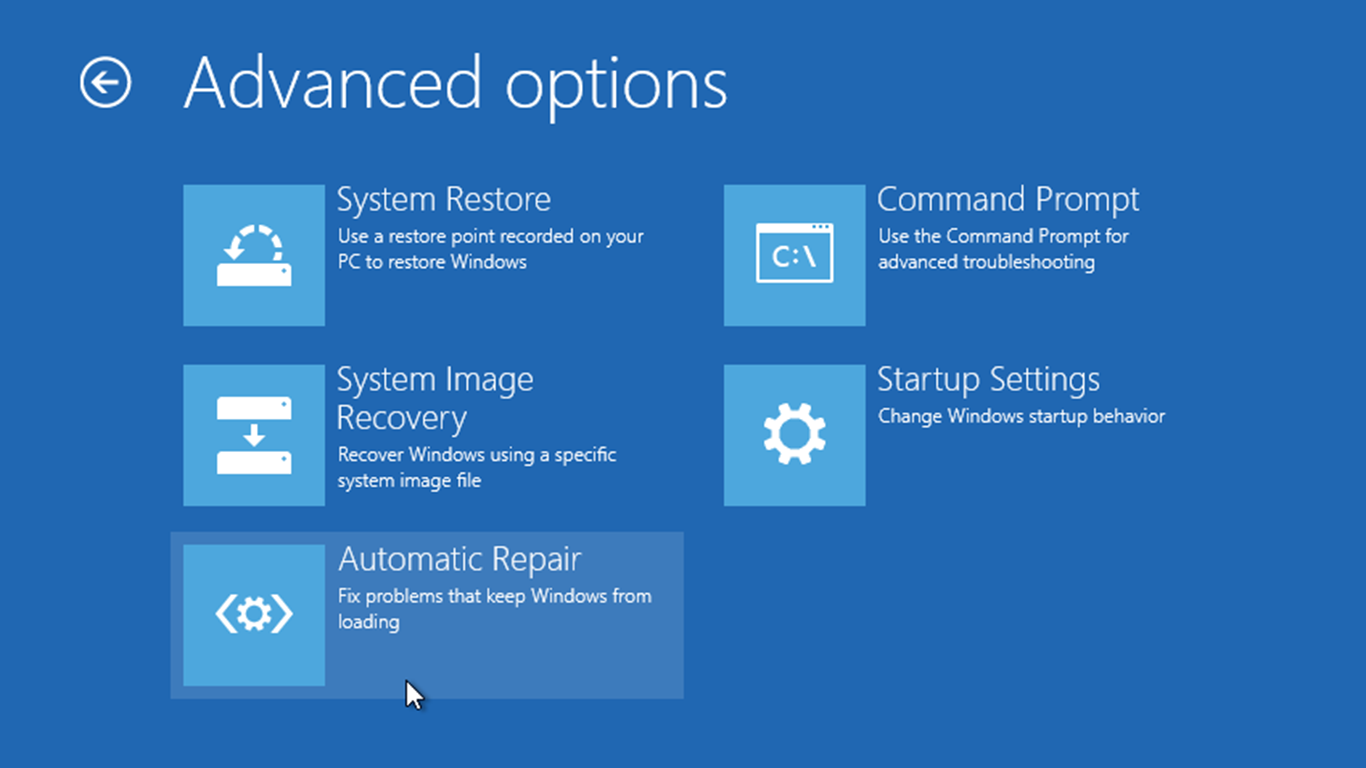
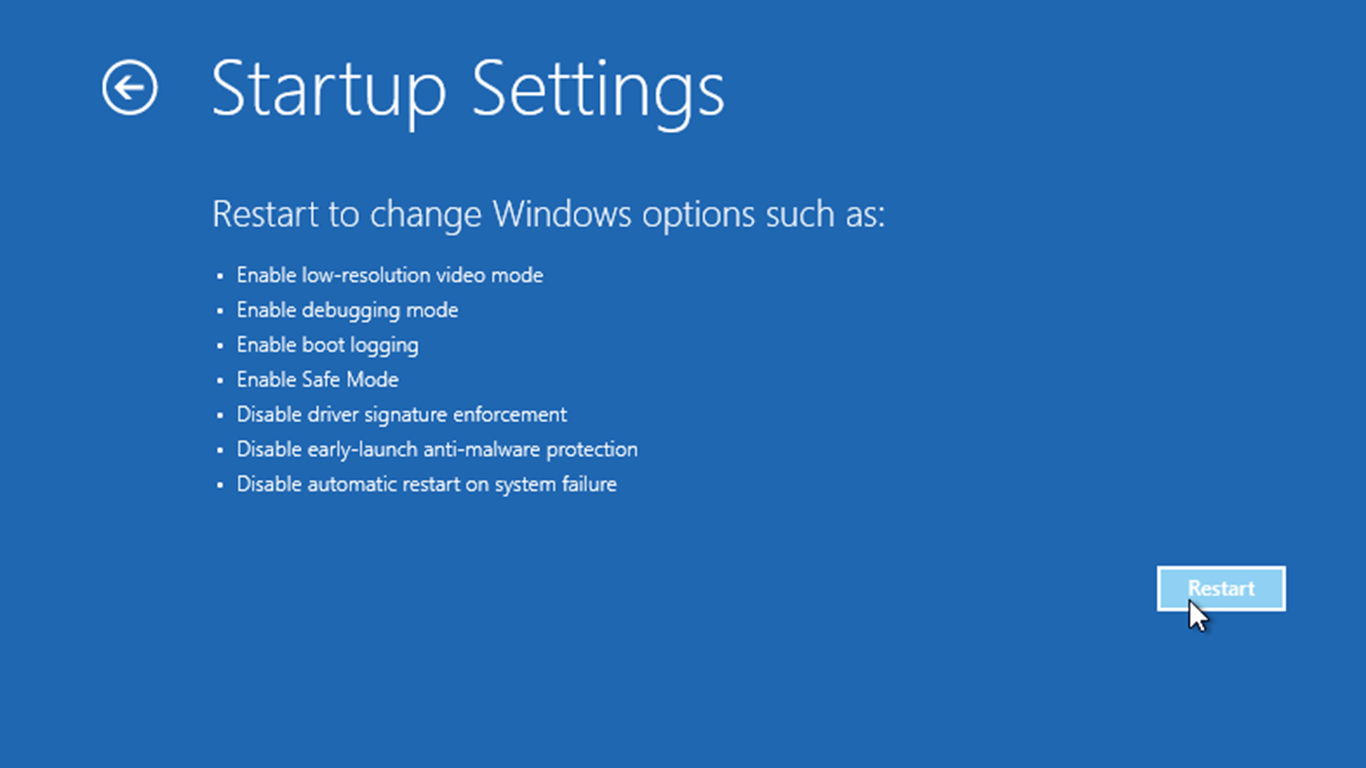
Now that Windows 8 boots so quickly there is no time to press F8 to open Safe
Mode. A little known feature to Reboot to a Windows 8 Advanced Repair/Restore mode
replaces Windows Safe Mode.
This new feature is currently only available in WinPatrol PLUS.
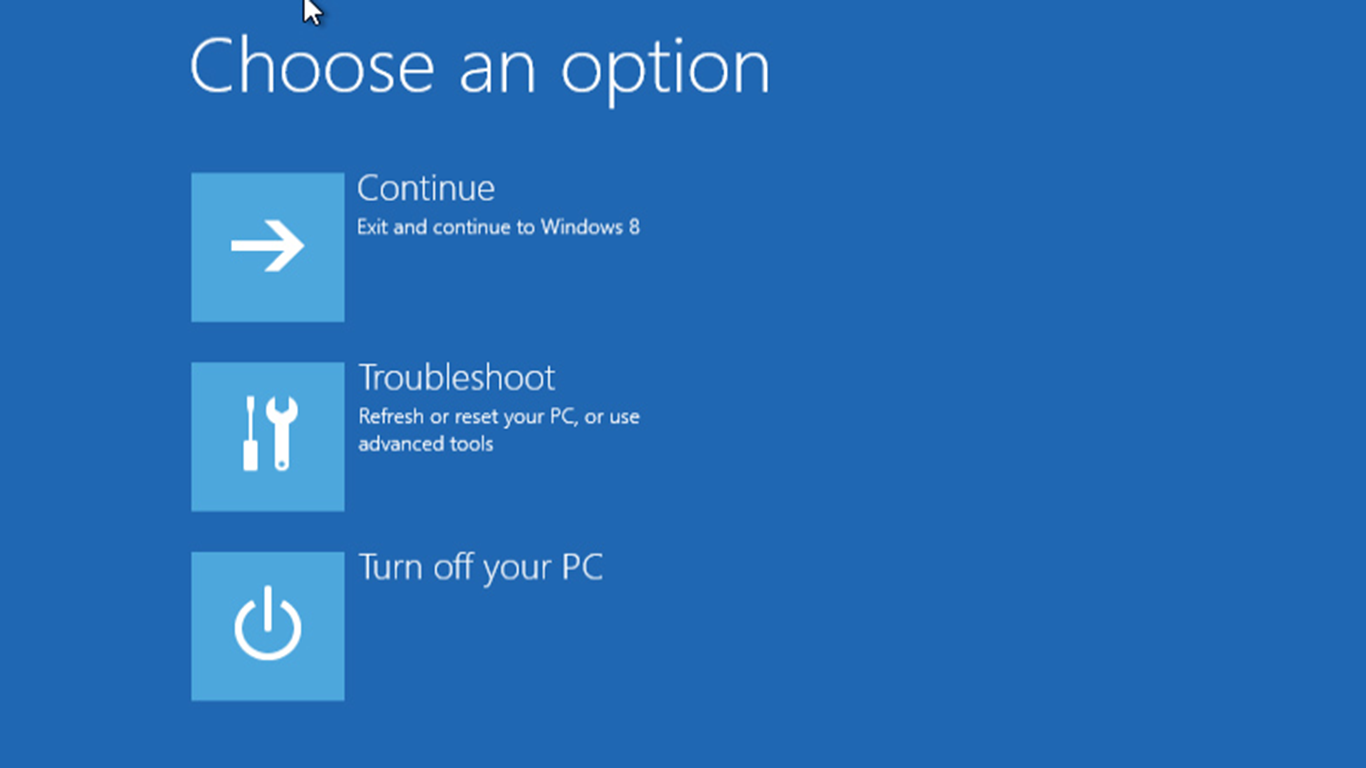 The new Windows 8 Repair and Recovery
screens provide more then safe mode provided.
 Download WinPatrol 26.1.2013
Contact support@WinPatrol.com
 WinPatrol Screen
Shots & Images
WinPatrol Screen
Shots & Images
 WinPatrol User
Feedback
WinPatrol User
Feedback
 Compare WinPatrol FREE
vs. PLUS
Compare WinPatrol FREE
vs. PLUS
Supporting the National Network to End Domestic Violence
Top Ten Reasons to Try WinPatrol
Prior Release Notes
|


